Envelopes
Custom Envelopes


? Digital or Offset? Here's the difference
- Best for: most everyday orders
- How many: smaller runs
- Speed: most ship the next business day
- Finish: the paper as is (gloss, matte or uncoated)
- Best for: large orders and fancy finishes
- How many: any quantity, lowest price on big runs
- Speed: takes a few more days (your date shows below)
- Finish: extra options like coatings, spot UV and rounded corners, where offered
Easy rule: need it fast, or a regular amount? Pick Digital. Ordering a lot, or want a special coating? Pick Offset. Not sure? Tap both and compare prices.
Loading options…
| Run Size | Per UnitUnit | Total PriceTotal |
|---|---|---|
| Custom Qty | — | — |
| ▾ SHOW MORE | ||
Need to add addresses?
Use our intuitive addressing system. Upload your mailing list (Excel or CSV), and your envelope design if you have one, and we print each name and address on its own envelope. Preview every envelope before you order.
Address my envelopesEmail me this quote
We'll send your exact specs and price, plus a link that reopens this order so you can check out whenever you're ready.
Your quote has been sent!
We emailed your quote to . It should arrive within a minute or two — check your spam or promotions folder if you don't see it.
Questions? Call us at (562) 294-3207.
Need the die line? Email files@sprintings.com with the size and style and we'll send it.
Shipping & delivery estimate
Couldn't load pickup availability
What you get with Offset
Offset prints on large presses built for big runs. The bigger your order, the lower the price per piece, and you can add finishes that make your piece stand out. Colors stay the same from the first piece to the last.
Order as few or as many as you need. The price per piece drops fast on bigger runs, so check the run size table.
The standard speed is included in the price. If you need it sooner, faster speeds are in the Turnaround menu with the extra cost shown in dollars.
Enter your ZIP in the shipping box for the exact date at your address. Checkout shows the same options.
Use the Offset template for your size (1/16" bleed). Every file is checked by hand before it prints.
Not sure? Switch back to Digital for regular amounts that ship fast, or email info@sprintings.com and we’ll help you pick.
Envelopes print without bleed
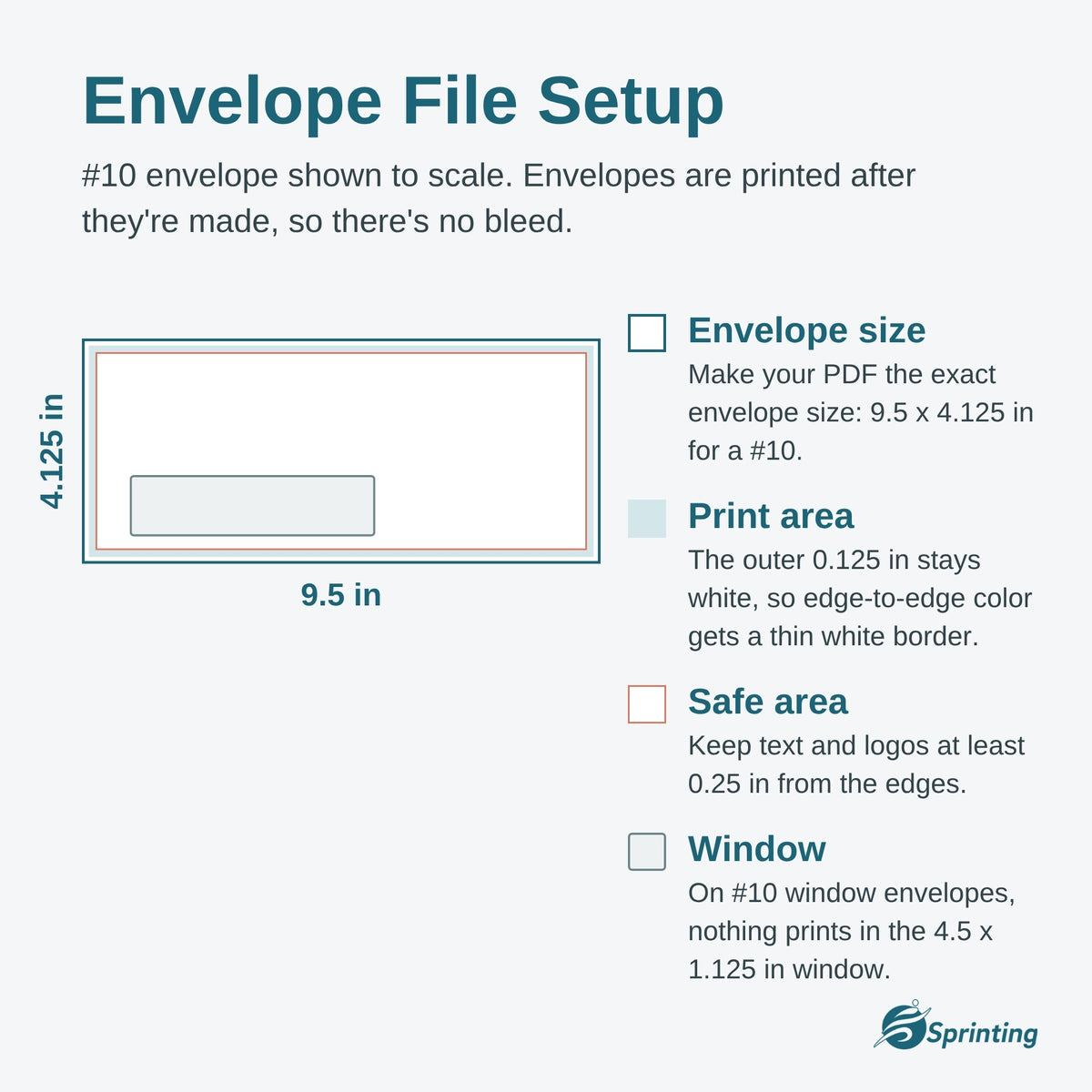
We print your design on finished envelopes that are already cut and glued, so there is no bleed and nothing gets trimmed. The outer 1/8" (0.125") of every envelope always prints white. If your artwork runs to the edge, it will print with a thin white border, like this:
Color runs to the edge (bleed file)
Background color fills the whole page, edge to edge.
Same file, 1/8" white border
The outer 1/8" can't print on an envelope, so it stays white all the way around.
Exact file sizes and paper
| Envelope | Upload your PDF at | Paper | Fits |
|---|---|---|---|
| A2 | 5.75" x 4.375" | 70# text | 4.25" x 5.5" cards |
| A4 | 6.25" x 4.25" | 70# text | 4" x 6" cards and photos |
| A6 | 6.5" x 4.75" | 70# text | 4.5" x 6.25" cards |
| A7 | 7.25" x 5.25" | 70# text | 5" x 7" invitations |
| A9 | 8.75" x 5.75" | 70# text | 5.5" x 8.5" cards |
| #9 | 8.875" x 3.875" | 60# text | Reply envelope, fits inside a #10 |
| #9 Remittance, long flap | 8.875" x 7.4375" open and flat (template) | 60# text | Payment and donation reply envelopes |
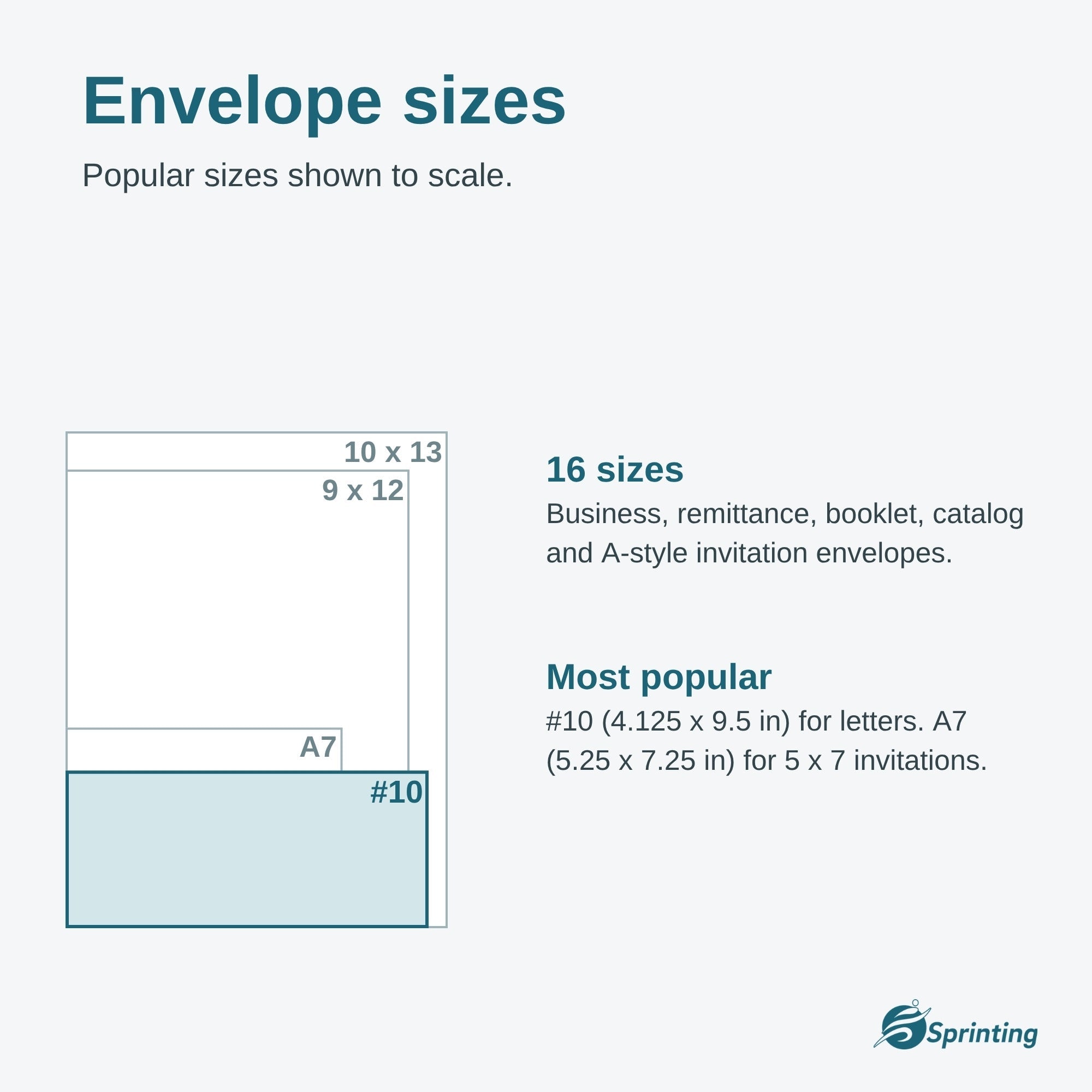
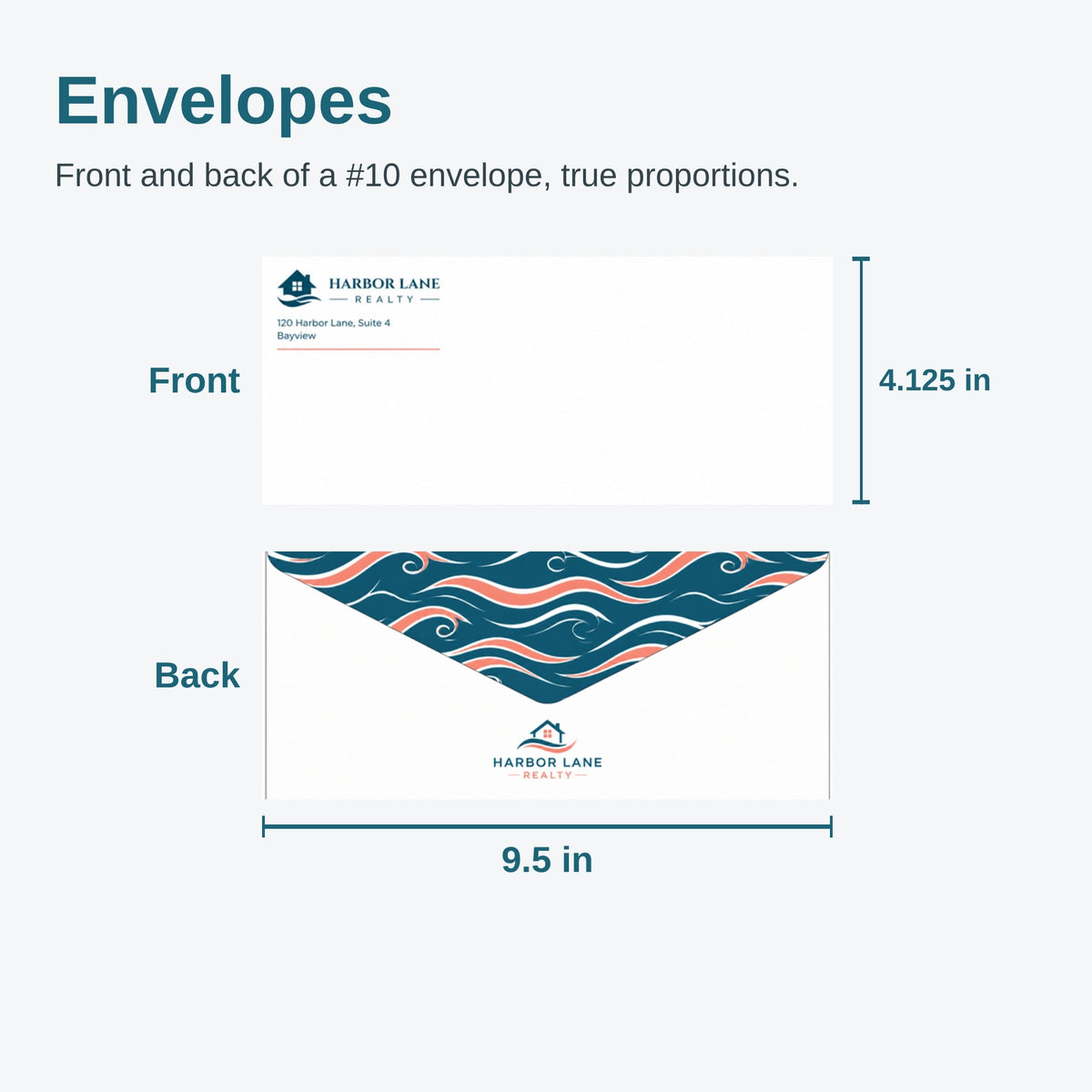
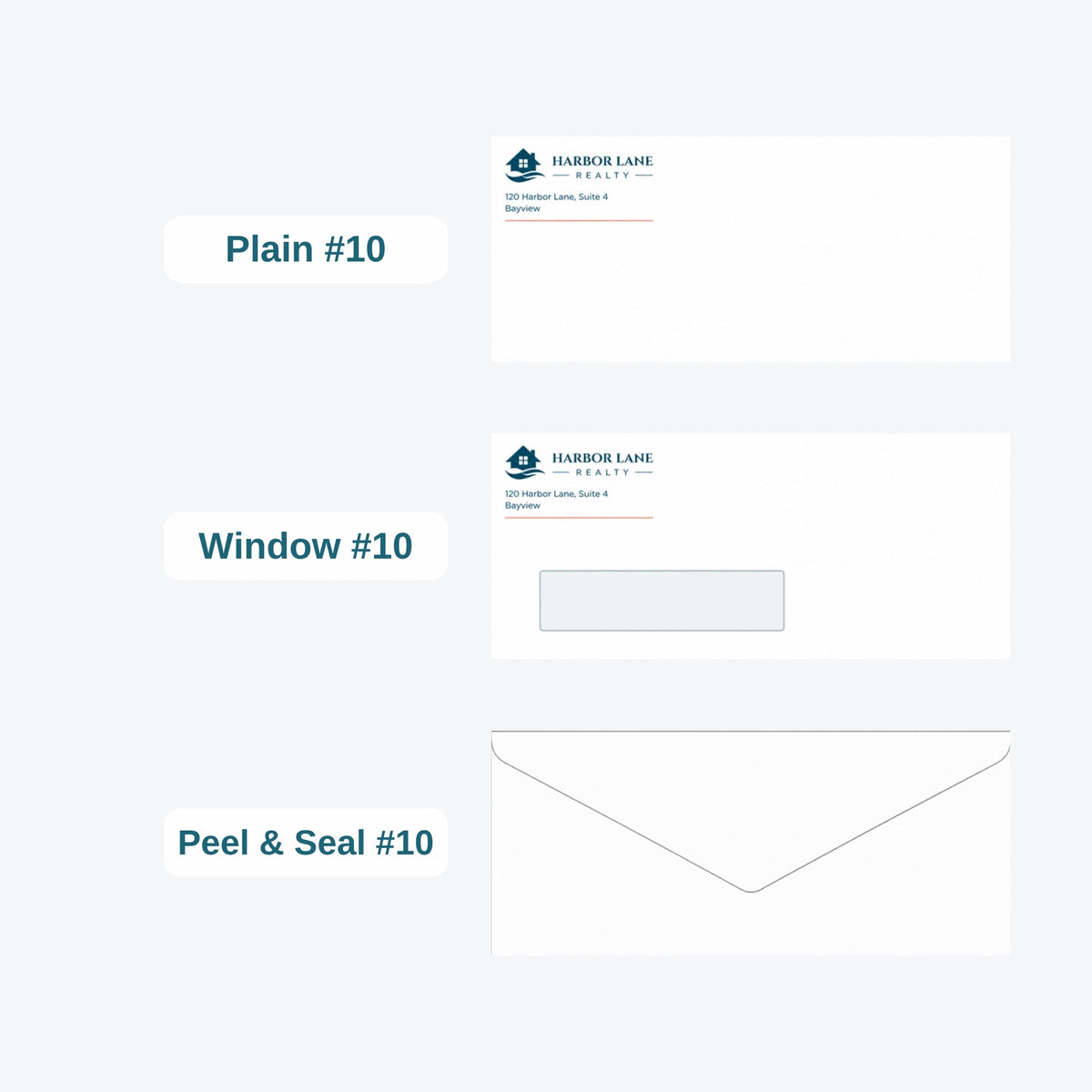
| #10 / #10 Peel & Seal / #10 window | 9.5" x 4.125" | 60# text | Letters folded in thirds, 4" x 9" rack cards |
| 6" x 9" booklet / catalog | 9" x 6" | 60# text | 5.5" x 8.5" booklets and brochures |
| 9" x 12" booklet / catalog | 12" x 9" | 60# text | 8.5" x 11" booklets, flat documents |
| 10" x 13" booklet / catalog | 13" x 10" | 60# text | Thicker booklets and catalogs |
Landscape or portrait is fine: 9.5" x 4.125" and 4.125" x 9.5" are both accepted for a #10. Window envelopes must be set up landscape, and remittance envelopes use the open, flat template size.
Envelope questions
Why can't envelopes have bleed?
Bleed only works when a sheet is printed larger and then trimmed. Our envelopes are already folded and glued when they go through the press, so nothing is trimmed and the press can't print right to the edge. That's why the outer 1/8" stays white.
What happens if I upload a file with bleed?
Our upload page checks your file. If it's bigger than the envelope (for example 9.75" x 4.375" for a #10), Add to cart stays off until you upload a file at the exact size, or click "Crop it for me" and we'll keep the center of your design at the exact envelope size. The outer 1/8" still prints white.
Can I have color all the way to the edge?
Not on these envelopes. You can still use a full background color: it will print with a thin 1/8" white border around it. Many customers design a white frame on purpose so the border looks intentional.
Can you print on the back or the flap?
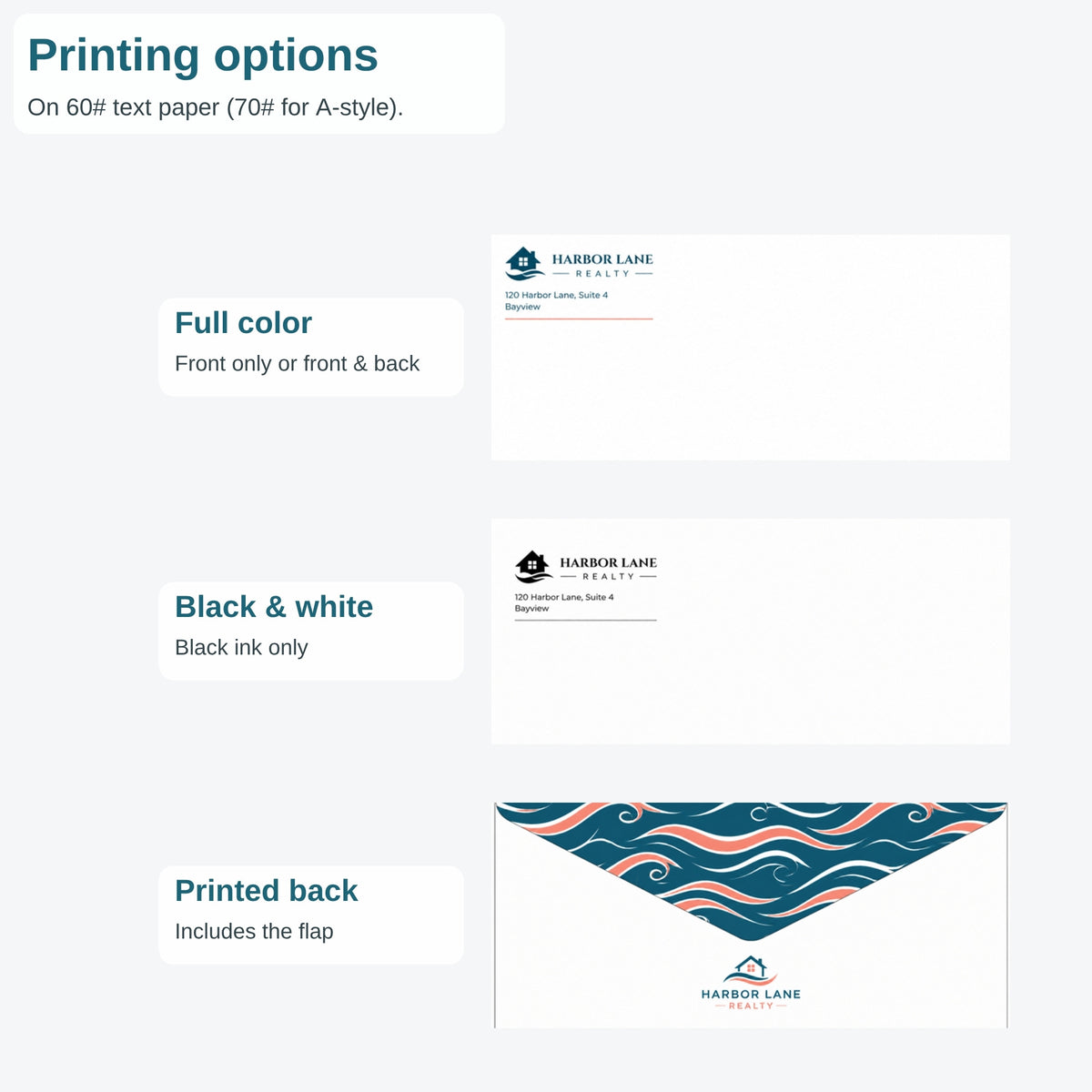
Yes. Choose "Full Color Front & Back" and upload a 2-page PDF: page 1 is the front, page 2 is the back (including the flap). Both sides print without bleed, so the outer 1/8" of each side stays white.
How do I set up a #9 remittance envelope?
Remittance envelopes are printed open and flat, so the long flap can be printed too. Make your PDF 8.875" x 7.4375" with no bleed, using our remittance template. Page 1 is the outside: the flap on top, designed upside down so it reads correctly when the envelope is closed, and the front (address side) below the fold. For Front & Back, page 2 is the inside: the inside of the flap (your appeal) and the inside of the envelope (for example a payment form). Keep text out of the light blue safety areas on the template: those are glue, fold and trim zones. Delete the template guides before you save.
Where is the window on a #10 window envelope?
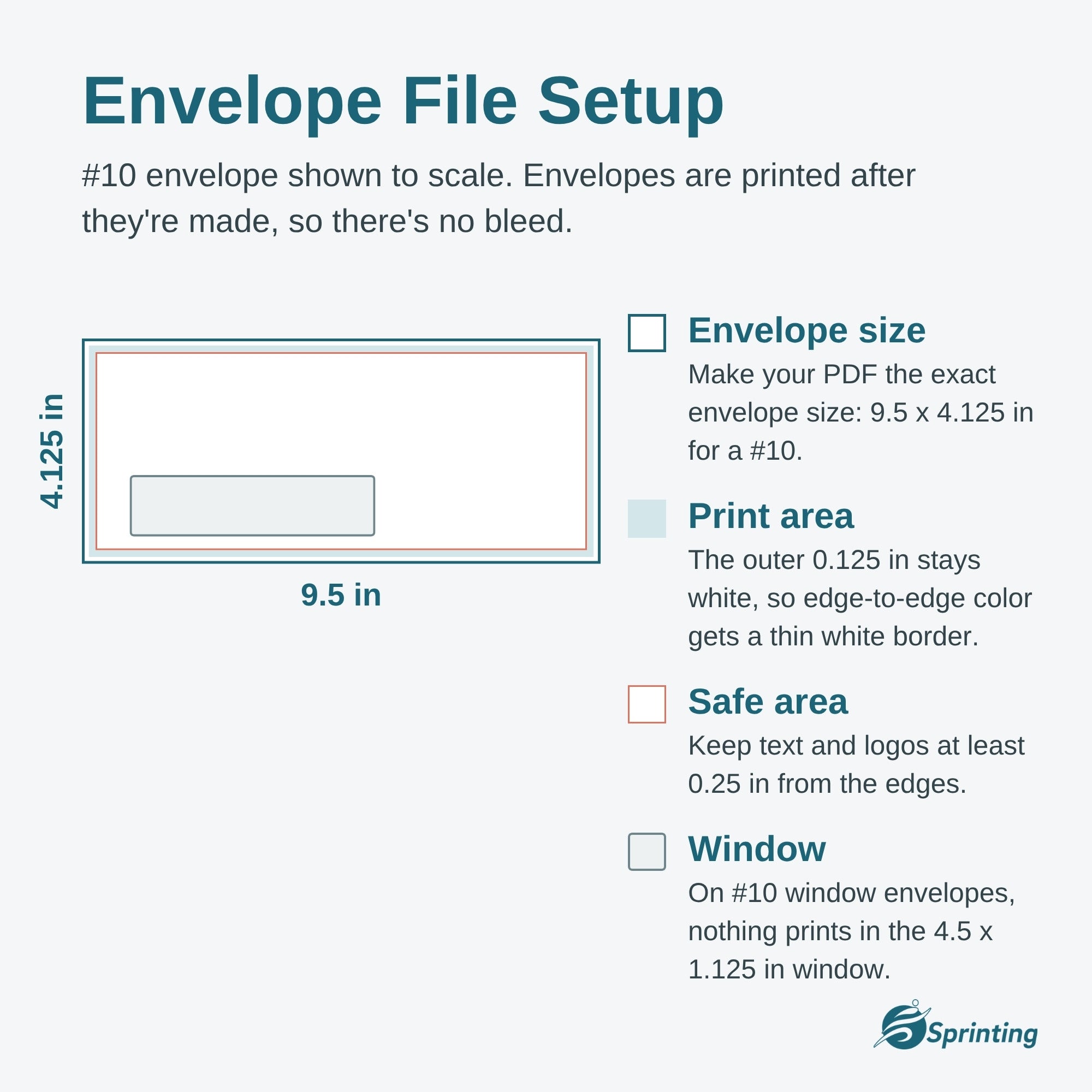
The window is 4.5" x 1.125", 0.875" from the left edge and 0.5" from the bottom edge of the front (landscape, flap at the top on the back). The window is cut out, so nothing prints there. Set your file up landscape at 9.5" x 4.125" and keep your design clear of the window: the upload page shows it in blue and warns you if anything sits inside it.
I don't have a print-ready file. Can you help?
Yes. Choose "Order now, email file later", check out, and email your file in any format to files@sprintings.com. We'll size it to your envelope and check it by hand before anything prints.
Bulk Print envelopes: set up your file
Bulk Print envelopes are printed flat first, then cut and folded, so color can run right off the edge. Use the flat envelope template for your size.
Custom Envelopes
Printed envelopes that finish every mailing
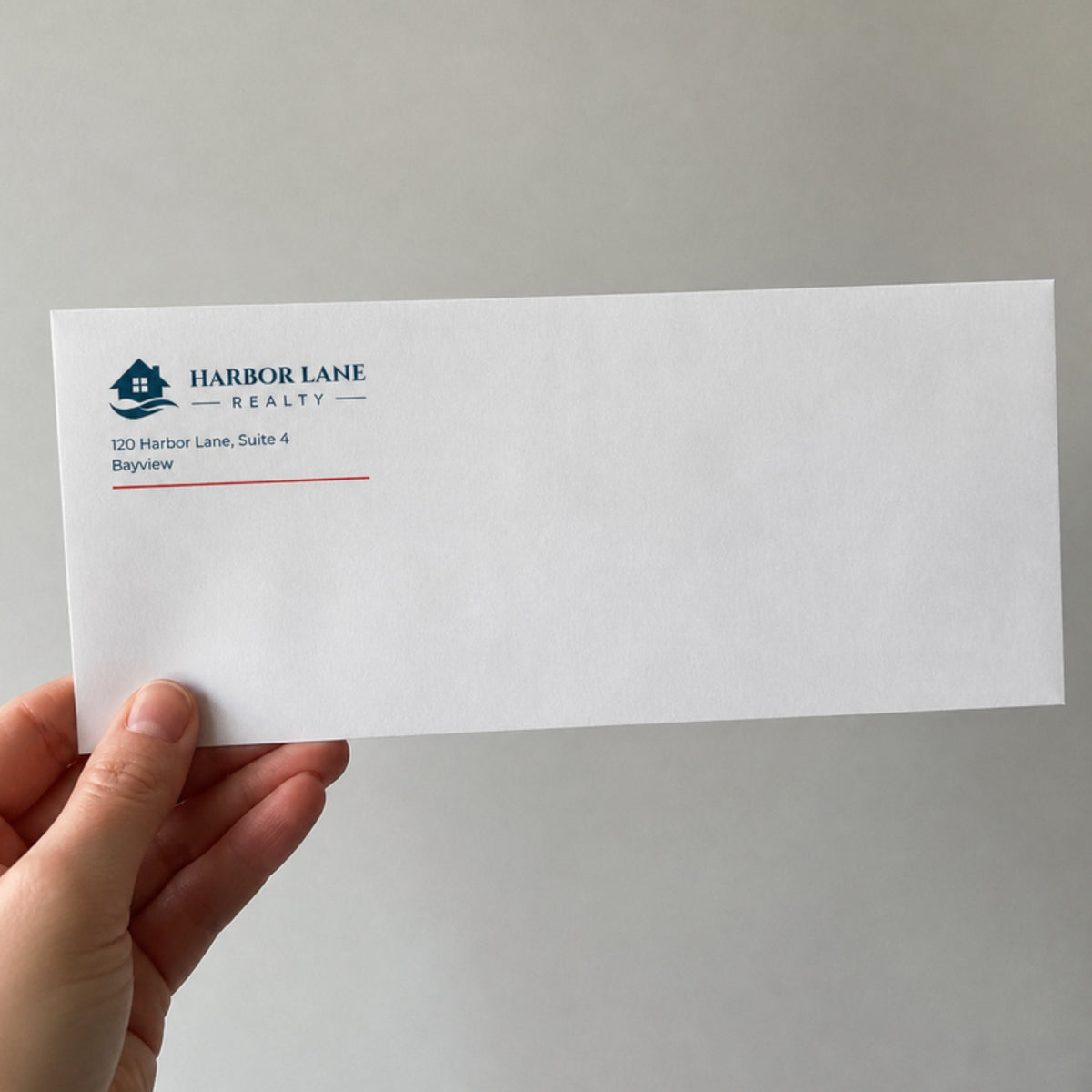
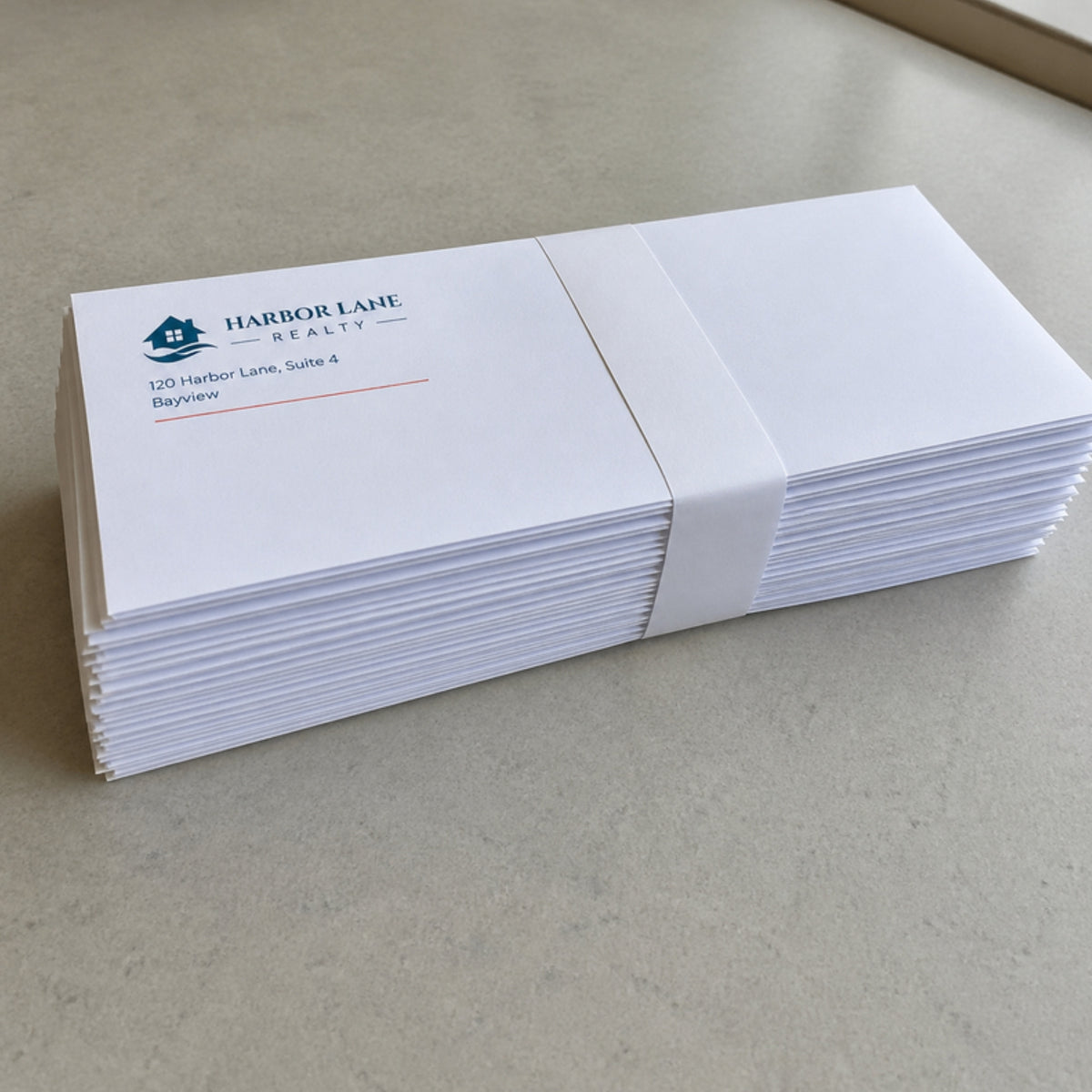
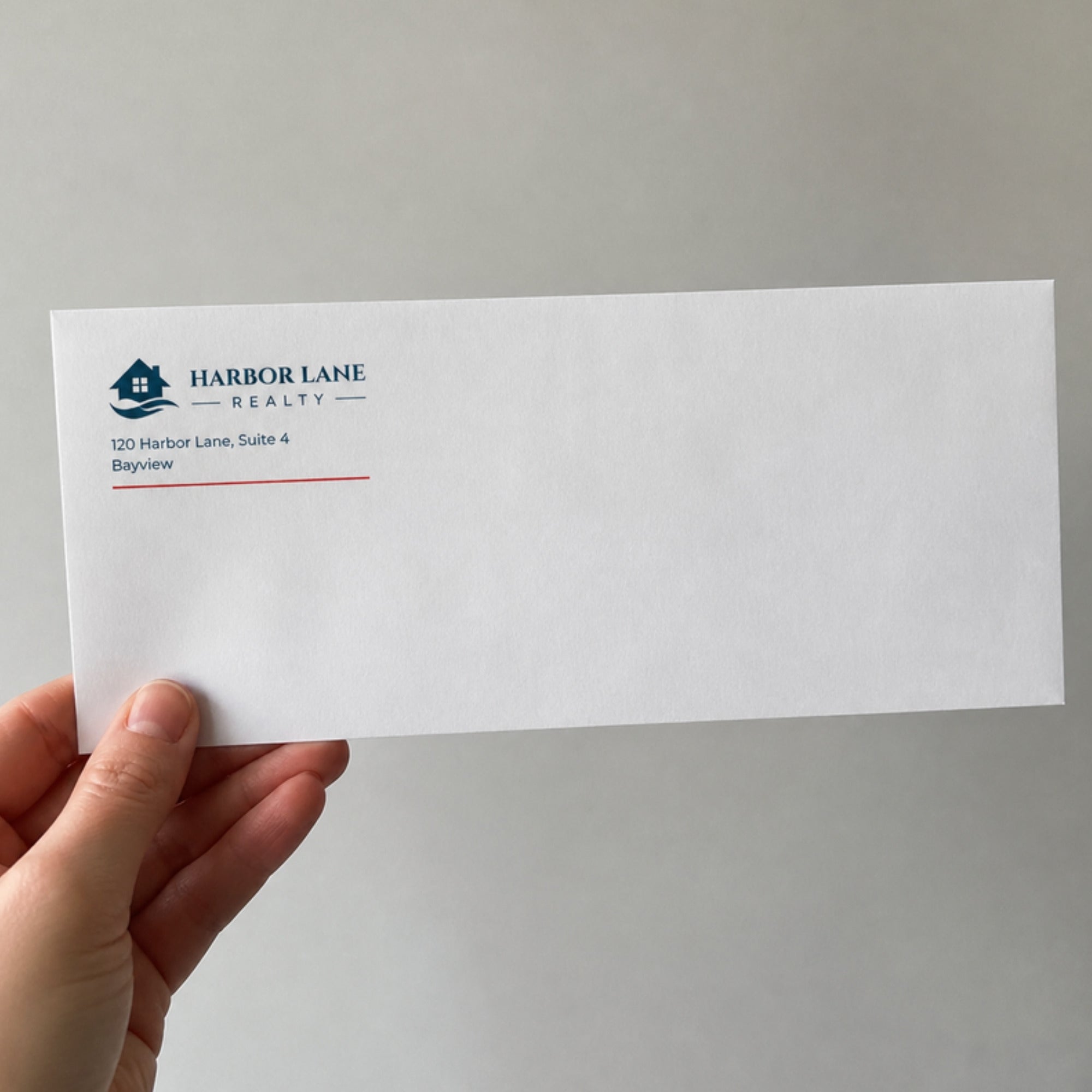
Print your logo, return address or a full design in full color or black & white on business, remittance, booklet and catalog envelopes, and A-style invitation envelopes. Or order the A-style sizes blank to pair with cards and invitations you print with us.
- Business mail
- Invoices & statements
- Donation reply
- Catalog mailers
- Invitations
- Greeting cards
Why Sprinting envelopes
One price, any design
- The same price whether you print a simple return address or a full-color design
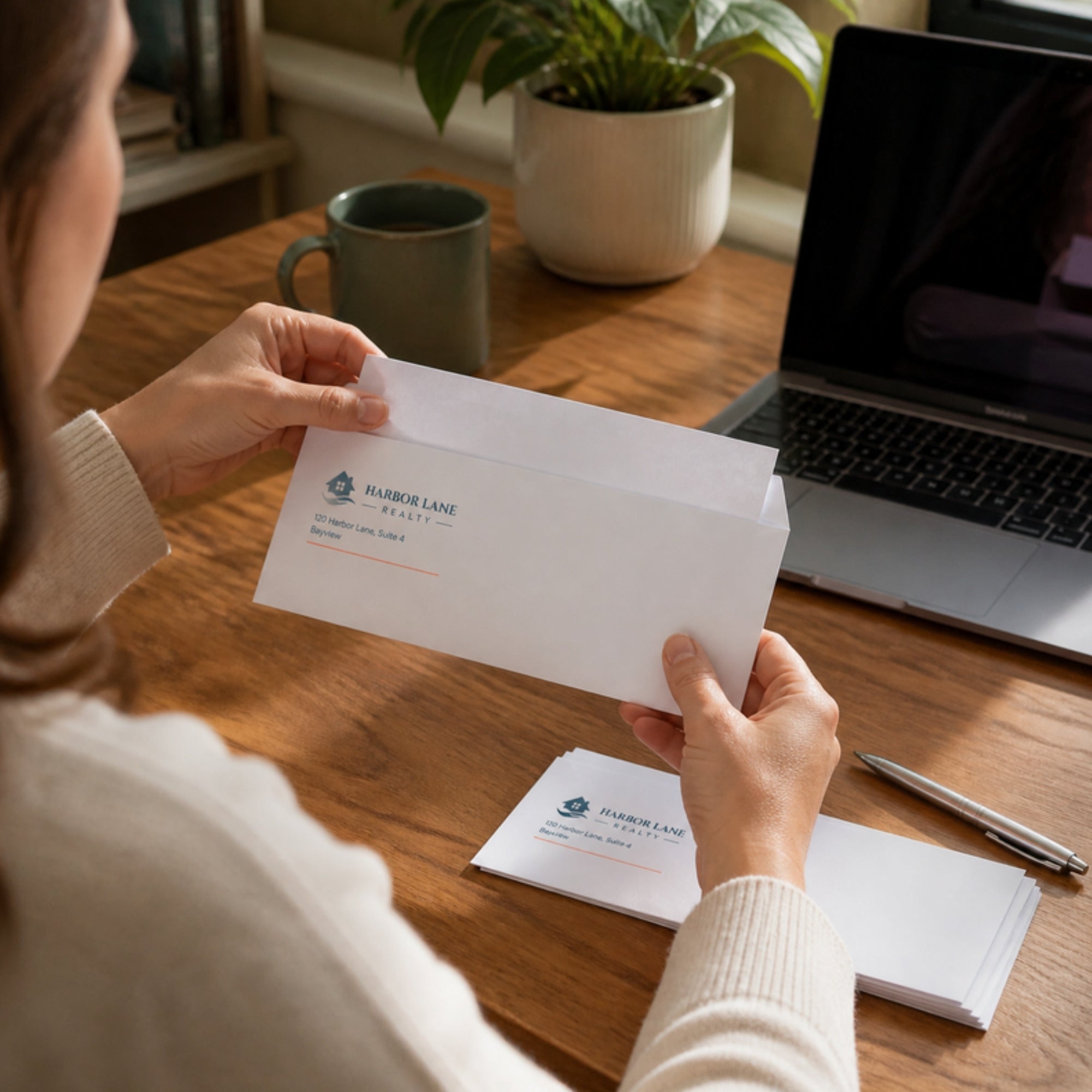
- #10 Peel & Seal closes without moistening, which makes big mailings faster
- Match them with letterhead, business cards and notepads for a complete set
Specifications
Envelope specs
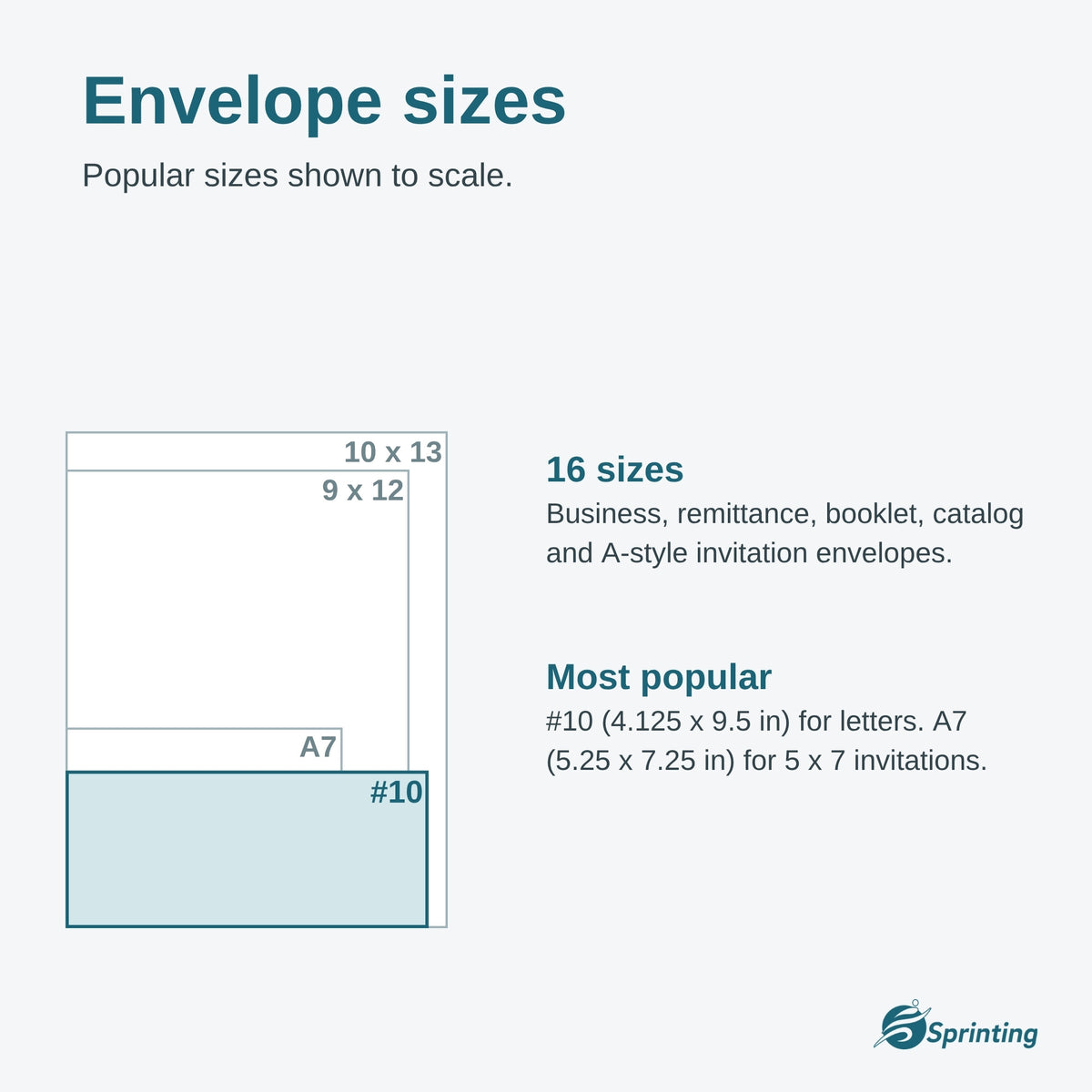
| Business sizes | #10 (4.125" x 9.5"), #10 Peel & Seal, #10 with window, #9 (3.875" x 8.875"), #9 Remittance with long flap |
|---|---|
| Booklet & catalog | 6" x 9", 9" x 12", 10" x 13" (booklet opens on the long side, catalog on the short end) |
| Invitation (A-style) | A2 (4.375" x 5.75"), A4 (4.25" x 6.25"), A6 (4.75" x 6.5"), A7 (5.25" x 7.25"), A9 (5.75" x 8.75") |
| Paper | 60# text for business, remittance, booklet and catalog envelopes. 70# text for A-style envelopes |
| Printing | Full color or black & white, front only or front & back (back includes the flap). A-style sizes also available blank |
| #10 window | 4.5" x 1.125" window, 0.875" from the left and 0.5" from the bottom. Nothing prints in the window |
| Artwork | PDF at the exact envelope size, no bleed, no crop marks. 1 page (front) or 2 pages (front, then back) |
| Proofing | Preview your PDF with trim and safe lines before you order, or send any file and we'll make it print-ready |
File setup
No bleed: keep a 1/8" white border
Envelopes are printed after they are made, so nothing gets trimmed. The outer 1/8" (0.125") of every printed side stays white, and color that runs to the edge of your file prints with a thin white border.
Keep text and logos at least 1/4" from the edges. Remittance envelopes print open and flat: use our 8.875" x 7.4375" template so the long flap is printable too.
Which envelope do I need?
Match the envelope to what goes inside
| A2 | 4.25" x 5.5" cards and invitations |
|---|---|
| A4 | 4" x 6" cards and photos |
| A6 | 4.5" x 6.25" cards |
| A7 | 5" x 7" invitations and greeting cards (the most popular size) |
| A9 | 5.5" x 8.5" cards and folded half-letter pieces |
| #10 | Letters and 8.5" x 11" sheets folded in thirds, plus 4" x 9" rack cards |
| #9 / #9 Remittance | Fits inside a #10 as a reply envelope. The remittance version adds a long, printable flap for payments and donations |
| 6" x 9" | 5.5" x 8.5" booklets and folded brochures |
| 9" x 12" | 8.5" x 11" booklets and documents, flat |
| 10" x 13" | Thicker booklets and catalogs |
Size guide
Envelope sizes, to scale